Your clinic's own branded patient app.
Appointments, records, results, programs and payments in one app that carries your clinic's name, connects to your HIS and runs on your servers.
Five modules, one app
Everything a patient needs between visits, under your brand and inside your infrastructure.
Appointment scheduling
Doctor visits, video consultations and services like MRI or CT, booked for any family member from live HIS availability.
- Live slots pulled from your HIS
- Reschedule and cancel in two taps
- Automatic reminders before every visit
- Referral uploaded with the request

eKYC and medical data
Identity and insurance checked against national registries. Children are linked once their certificate is approved by your staff.

Records and results
Lab and imaging results, visit notes and prescriptions arrive with a notification the moment your clinic releases them.
Programs and packages
Bundled check-up programs listing every included service and preparation step. Patients buy in the app or request a call back.
Payments and balance
Card, mobile banking or cash at the desk, plus a prepaid balance a patient can top up for themselves or for family.
An appointment in five taps, no phone call
Patients book in the app the way they would at your front desk, only faster. Each new visit goes straight into your HIS schedule.
- Pick what to bookA clinic visit, a video consultation, or a service such as ultrasound, MRI or X-ray.
- Choose the doctorSearch by name or specialty, for themselves or a family member.
- Pick a free timeOnly the slots that are free in your HIS right now, so nothing is double-booked.
- Confirm and payA summary with the price. Pay now in the app, or later before the visit.
- BookedThe visit lands in your schedule and the patient gets a reminder the day before.
You choose which services are confirmed instantly and which wait for your operator to approve.
The app speaks up
at the right moment
Not a marketing channel. A running commentary on the patient’s own care.
Around the visit
A reminder the day before and again two hours ahead. A new time if the visit moves, the refunded amount if your clinic cancels, a nudge to rebook after a missed visit and a rating request after a completed one.
Fast check-in
Shortly before the appointment the patient gets a QR code to show at reception, so arriving takes seconds.
Results and care
Their own results, their child’s results, and the doctor’s recommendations, each the moment your staff release them.
Account
Identity verification succeeded or failed. A child profile linked, or rejected with a reason.
Housekeeping
Documents to sign before a visit, refunds, a new app version, an updated privacy policy.
Every message carries the real details - the time, the doctor and the specialty, the child’s name, the refunded amount - and goes out on push, email, SMS and in-app, in the patient’s own language.
One account, the whole family
Parents manage adults and children from one login. A child’s medical record opens only after your staff check who the parent is.
Phone scheduling costs you twice
Once in staff time, and again in the patients who give up before they reach anyone.
On the phone today
- Phoning only works while the front desk is staffed.
- A missed call is usually a lost appointment, not a callback.
- Results arrive by email, prescriptions on paper, invoices somewhere else.
- On a marketplace your clinic is one listing, and the patient belongs to the platform.
In your own app
- Patients book, reschedule and cancel at any hour, from their phone.
- Every request lands in your back office, even out of hours.
- Results, prescriptions and invoices sit together with the visit they belong to.
- The app carries your name, and the patient relationship stays with your clinic.
From your HIS to both app stores
Four steps, run with your team. The accounts, the listings and the app stay your clinic’s property.
Connect your HIS
We map your specialties, doctors, locations and slot rules together with your team, then keep them in sync both ways.
Apply your brand
Your logo, colours, typography and app name go into the build, along with the screenshots and text for the store listings.
Release on the App Store and Google Play
We prepare and submit the builds. The developer accounts belong to your clinic, and your team approves every release.
Invite your patients
Patients join by SMS, email or a QR code at reception. Updates ship the same way, on your schedule.
Your brand. Your servers. Your rules.
The app is an extension of your clinic, not a channel you rent from someone else.
Not sure whether self-hosted or EU cloud fits your clinic? Talk to us about deployment
Questions clinics ask
The ones that come up on every first call.
Do we need our own App Store and Google Play accounts?
Yes, and that is deliberate. The app is published under your clinic’s own developer accounts. Holty prepares and submits the builds, and your team approves every release.
Can a patient book for their child?
Yes. Children are added as members and linked once your staff verify a birth certificate. Until then the child’s records stay restricted.
What if a service needs a referral?
When scheduling, the patient marks that your clinic issued it, or uploads one from another clinic.
Does every request go through automatically?
Only the ones you allow. Anything that needs review arrives as Pending, and your team approves, reschedules or cancels it in the back office.
How do patients pay?
Card, mobile banking, or cash at the desk. They can also top up a balance in advance, for themselves or for a family member.
What happens if a patient deletes their account?
App access, sessions, preferences and notifications go immediately. Medical and financial records stay in your systems for as long as the law requires, and existing appointments remain valid.
See the app with your clinic's brand on it
In a 15-minute call we walk through the patient app live, with your specialties, your doctors and your scheduling rules. No slides, no commitment.
Book a Demoor email us at info@getholty.com
Find out what AI thinks about Holty:
Latest from our blog
How to choose a PRM, how much a clinic loses to no-shows and lapsed patients, and more - in our series of articles.
Top 5 AI Tools Your Clinic Needs
Five AI tools that take repetitive work off a clinic team and leave every clinical decision with a doctor. What each one does, what the research says, and where it stops.
How to Choose a PRM for Your Clinic: What a Good System Should Do
A good PRM passes seven tests. Fail the first two - two-way HIS sync and data ownership - and the rest rarely matters. Here is a checklist you can use with any vendor.
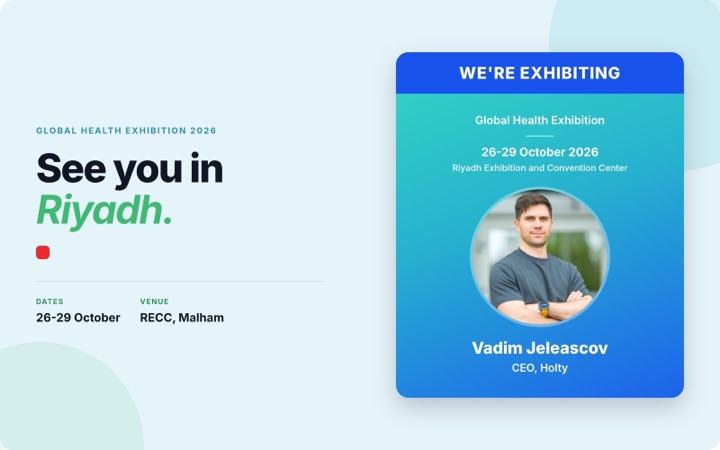
Holty at Global Health Exhibition Riyadh 2026
Our first time at the event. October 26-29 at the Riyadh Exhibition and Convention Center - here is why we are going, and who we want to meet.